 vintex.app







Restore a backup
Recreate a draft on the platform from a backup, on the account of your choice.
Why restore?
Three situations: the listing was deleted by mistake, the item sold and you bought an identical one, or you want to move a listing from one of your seller accounts to another. In all three, the backup saves you retyping everything and redoing the photos.
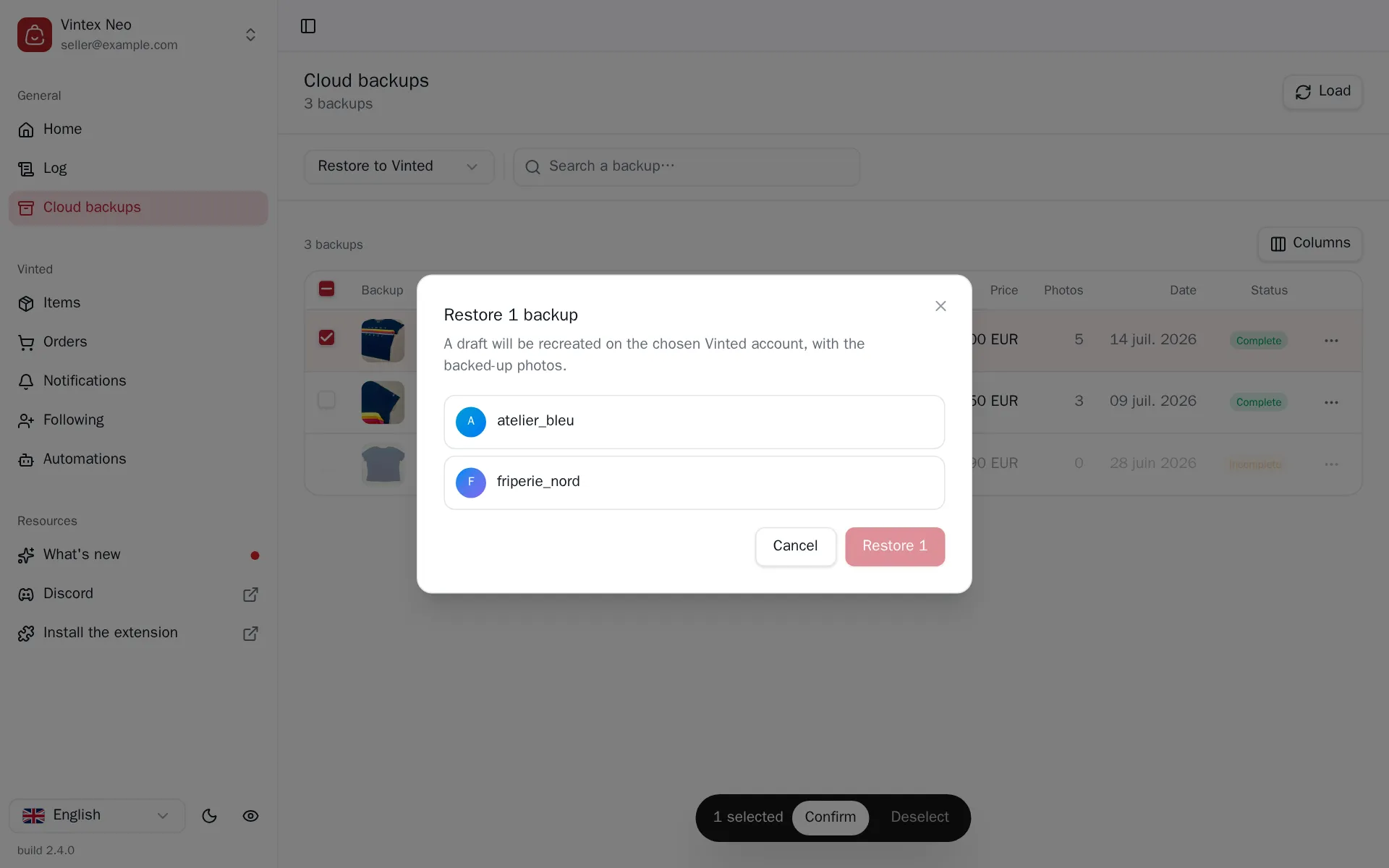
How to do it
From the Backups table, a row's menu; or pick Restore to the platform above the table then tick, for several. The dialog asks for the destination seller account — which need not be the original one — and recreates a draft with the backed-up photos.
Moving it to another account
Restoring to another profile moves the backup onto that account, which becomes its owner. The table's "Account" column follows.
What happens while it runs
Vintex reads the detail of the selected backups in a single call, then creates one draft per backup: photos re-uploaded, then the listing created. Each line in the task centre shows the step it is on.
An Incomplete backup is skipped, not half-restored: it shows as skipped with its reason in the summary. A draft is never created with photos missing.
If it doesn't work
| Symptom | Likely cause | Fix |
|---|---|---|
| Restore to the platform is greyed out | No linked seller account available | Link a profile |
| A line ends as "skipped" | The backup is Incomplete | Nothing to recover; take a fresh backup if the listing is still live |
| Restore fails on photo upload | Network drop during upload | Retry; the partial draft is yours to delete on the platform |
Try it on your own shop
Vintex runs in your browser, on your own seller account.