 vintex.app







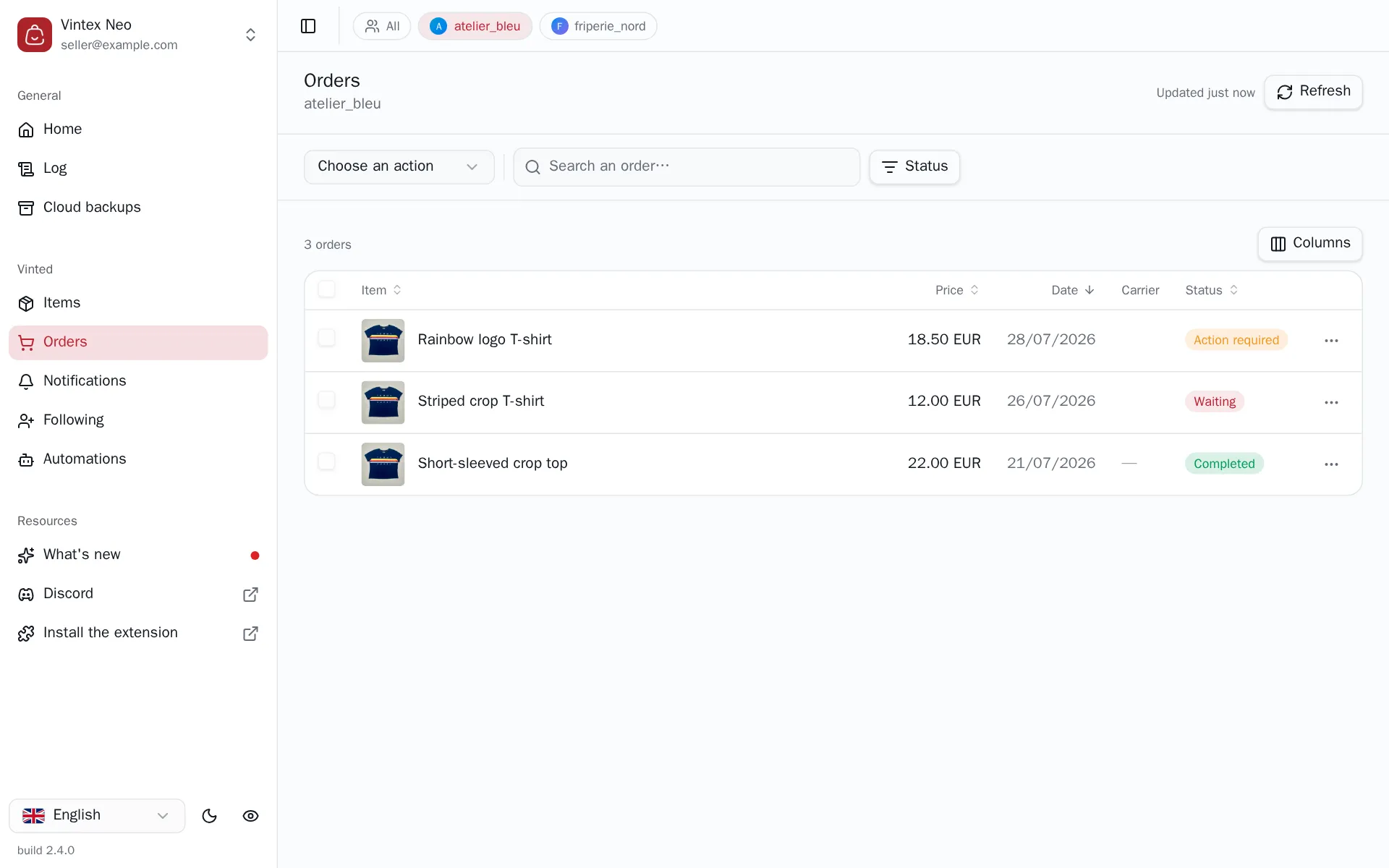
The Orders table
Read your sales, understand why an action is offered or not, and filter the page.
What this tab is for
This is your list of sales, with what's left to do on each. You come here in the morning to see what's waiting to ship, and after delivery to rate the buyers — without opening one the platform conversation after another.
Three tasks start from it: the shipping label, the rating and the shipped marker.
The platform decides what is offered
For each order on the page, Vintex asks the platform what it actually allows instead of guessing from the displayed status. An action missing from the menu isn't an oversight: The platform doesn't offer it on that order.
A failed check removes actions
When the platform doesn't answer for some rows, the "N orders could not be verified" banner appears and their actions are unavailable. That isn't "the platform offers nothing": it is "we don't know". Refresh to retry.
Filtering
A search and a status filter: Action required, Waiting, Completed, Cancelled, Failed. The list is paginated; sorting is done on the column headers.
Cancelling an order, extending the shipping deadline
Neither gesture is in the table: The platform exposes them per conversation only. The Open conversation shortcut, in each row's menu, takes you straight there — the rest is on cancelling and extending. The extension in particular is a request subject to the buyer's acceptance, not an immediate action.
Why the list isn't always to the second
Vintex keeps reads from the platform in memory for 5 minutes for the list, 15 for each order’s detail: without that, every tab switch would hammer the platform's API — exactly the kind of burst that gets an account noticed.
So you needn't fear acting on stale data: every write refreshes what it invalidated. What the cache covers is change coming from elsewhere — a buyer paying, a sale landing. The button at the top right says when the data was read ("Updated 12 min ago"); clicking it forces an immediate re-read.
If it doesn't work
| Symptom | Likely cause | Fix |
|---|---|---|
| A row's menu is empty | The platform allows no action on that order | Check the order on the platform |
| "N orders could not be verified" | The check against the platform failed | Click the button at the top right; if it persists, reload the platform tab |
| Empty list | No platform tab open for that profile | Reopen a platform tab |
Try it on your own shop
Vintex runs in your browser, on your own seller account.