 vintex.app







Reply to favourites
Write to buyers who favourited your items, by hand, one or several notifications at a time.
Why reply to favourites?
Someone set your item aside: that's the moment when a message, or a small discount, turns a "maybe" into a sale. Waiting means letting them find the same item elsewhere.
By hand rather than automatically when you want to proofread before sending, or catch up on two days of favourites at once.
How to do it
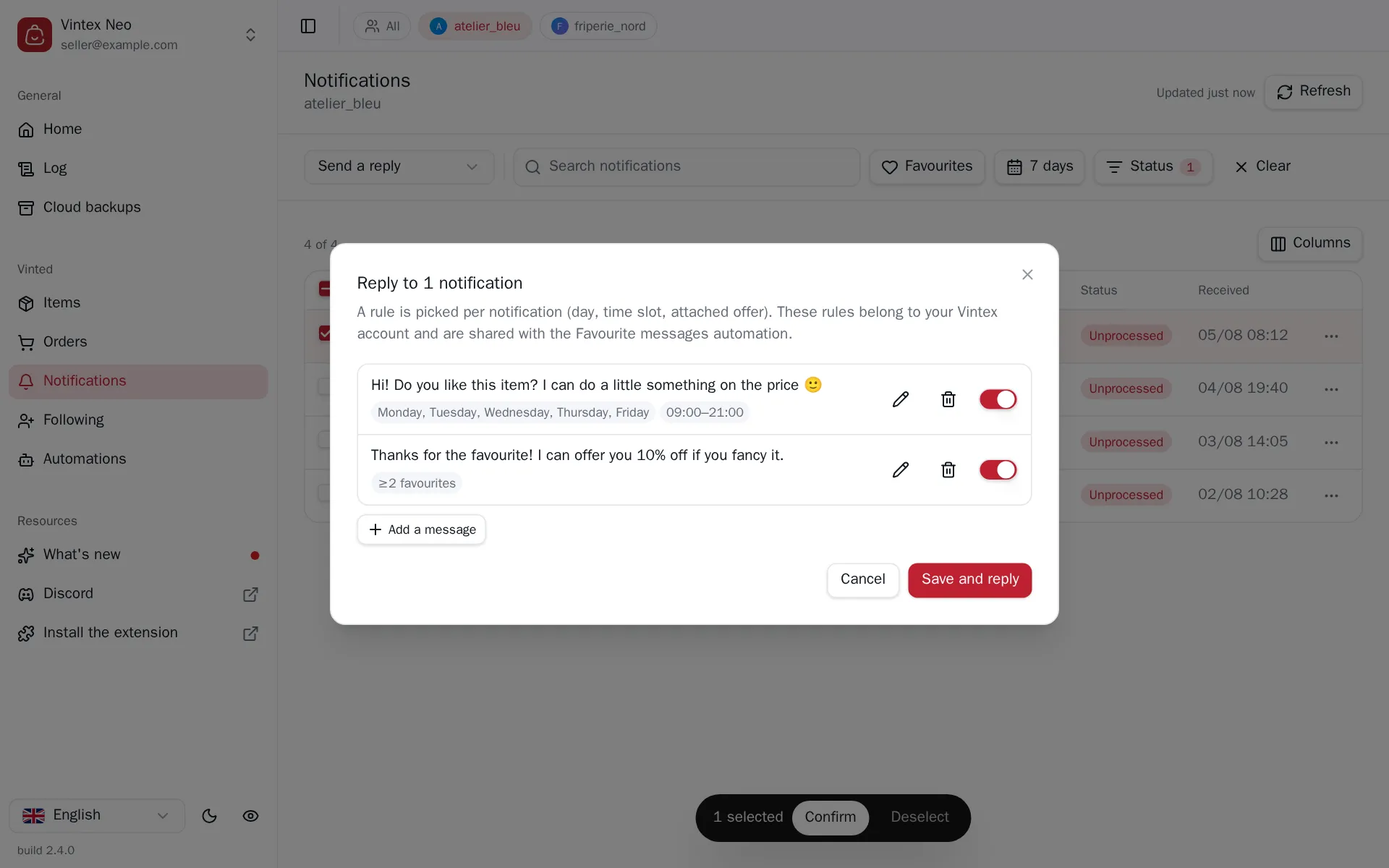
In the Notifications table, pick Send a reply above the table, tick the rows — or use a row's menu. Vintex picks one rule per notification, based on the day, the time slot and any attached offer, then messages go out one by one.
What it changes on the platform
A sent message cannot be taken back
There is no undo on the platform. Replying again on an already-processed notification sends a second message to the same buyer.
An attached offer is a genuine price proposal: if the buyer accepts, the sale happens at that price.
What happens while it runs
A few seconds between each message, and the gap varies. Creating conversations in a burst is exactly what makes an account look like a bot.
The run is cancellable between messages; those already sent cannot be taken back.
If it doesn't work
| Symptom | Likely cause | Fix |
|---|---|---|
| "No eligible entry" | The ticked notifications are already processed | Filter on Unprocessed |
| "No rule matches" | No active rule for this day / slot | Adjust the rules in Messages to favourites |
| Rules don't save | The Vintex service didn't answer | Retry; rules live on the Vintex side, not in the browser |
Try it on your own shop
Vintex runs in your browser, on your own seller account.