 vintex.app







Auto conversations
Negotiate incoming offers against your margins, and reply to buyers with AI — two independent branches.
Why automate conversations?
Two different needs, hence the two branches.
Negotiations: offers arrive at all hours, and an offer without a quick answer goes cold. The engine applies YOUR margins, immediately, even at night — and declines below your floor without you having to say no yourself.
AI replies: the same five questions come back (size, condition, bundling). Answering them is wasted time; leaving them unanswered is a lost sale.
How to do it
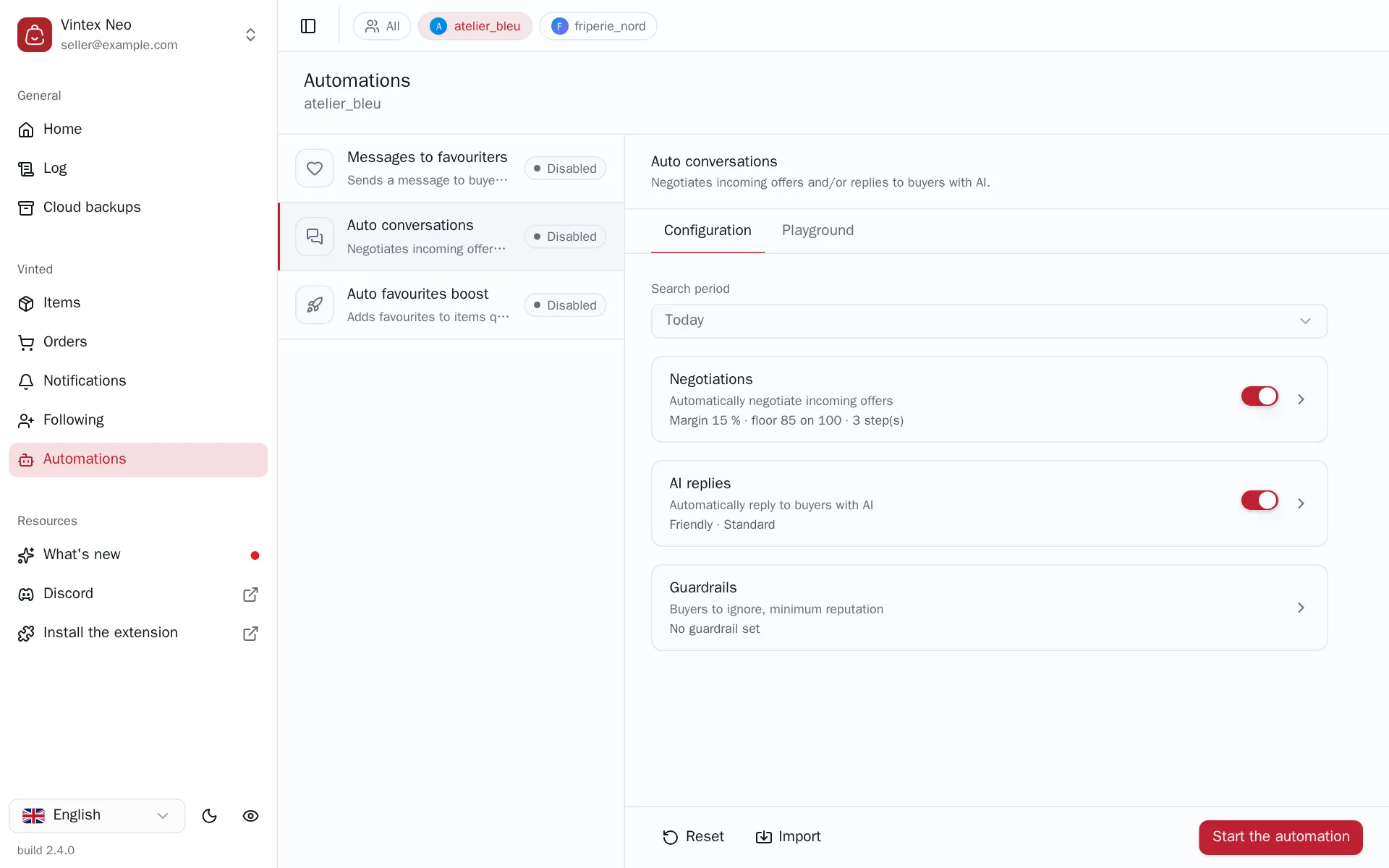
Go to Automations, the profile concerned, then Auto conversations in the left pane. Enable at least one of the two branches — Negotiations, AI replies — configure it, then Start the automation. With no branch enabled the button stays greyed out: a cycle that neither negotiates nor replies would do nothing.
Settings are only editable while stopped, and they aren't sent as you type: as soon as you change something, the bottom button becomes Save changes. Once saved, it goes back to Start the automation. While it still reads “Save”, nothing has been sent yet. The sandbox (below) lets you try everything first, for free.
Negotiations
This is arithmetic, not artificial intelligence
The price is decided by a deterministic rule you configure. The AI never gets to set an amount, even when both branches are active.
| Setting | What it does |
|---|---|
| Margin (%) | The margin to keep on the price — sets the floor below which Vintex declines |
| Margin by price bracket | A different margin per bracket: an €8 item isn't negotiated like a €200 one |
| Counter-offer steps | Each step is a counter-offer, converging towards the floor before declining |
| Bundle bonus | Widens the margin when the buyer takes several items at once |
| Counter-price rounding | How the proposed amount is rounded |
| Message when offer accepted, step message, Decline message | The text accompanying each outcome |
The preview shows the sequence of counter-offers and the floor before anything goes out. Vintex flags non-converging steps — a badly ordered sequence means a buyer who insists gets a counter-offer worse than the previous one.
An accepted offer is a sale
Accepting a proposal on the platform closes the transaction at that price. Check your floor and your brackets before starting: this is the setting that costs the most when it's wrong.
A refusal is final for that conversation. Once the last step is past, any new offer below the floor is declined outright — the counter-offer sequence does not replay. An offer above the floor is still accepted. Stopping and restarting the automation resets the counters.
The state of your conversations follows your account. Replies already sent, offers handled, steps and follow-ups are stored on our servers: when you switch computer or browser, the automation picks each conversation up where it left off.
AI replies
Professional feature
Negotiation needs no paid plan
Only AI replies depend on your plan. Negotiations are arithmetic that runs on your own machine, with no AI call: you can enable them and start the automation on any plan.
| Setting | What it does |
|---|---|
| Tone | Friendly, professional or adaptive |
| Address form | Informal, formal or automatic |
| Length | Short or normal |
| Reply language | Fixed, or the buyer's |
| Autonomy | Cautious hands over as soon as it hesitates · Balanced answers reasonable inferences · Autonomous escalates only as a last resort |
| Reply quality | Standard, fast and cheap · Premium, finer writing, higher cost per reply |
| Additional context (AI) | What the AI should know about your shop |
"Escalating" means: not replying, and leaving it to you. That is the wanted behaviour on anything committing.
Follow-up
If the buyer doesn't answer, a follow-up can go out after N hours, up to a number of attempts. With no follow-up text, nothing goes out — the setting stays inert.
The sandbox
The Simulation tab replays a full conversation on one of your real items: a buyer, a message, your configuration. Negotiation there is computed by the same code as the cycle, and costs nothing. Use it before enabling, especially on the steps.
If it doesn't work
| Symptom | Likely cause | Fix |
|---|---|---|
| Start the automation is greyed out | No branch enabled, or AI replies enabled without the plan | Enable a branch — or turn AI replies off to run negotiation alone |
| "Plan required" on AI replies | Your plan doesn't include them | See Plan |
| Warning on the steps | Non-increasing sequence | Reorder the steps |
| The AI escalates everything | Autonomy on Cautious, or context too thin | Switch to Balanced, enrich the context |
| The follow-up never goes out | Empty follow-up message | Write the follow-up text |
| An offer is declined that looked fine | It fell below its tier's floor | Check the relevant price tier in the preview |
| An incoming offer goes unanswered, the log mentions an incomplete bundle | One item in the bundle could not be read (usually because it is sold) | No price is decided on an incomplete bundle: remove the item from the bundle, or handle the offer by hand |
| The log reports a partial scan | More recent conversations than the scan reads in one pass | Pick a search period: without one, the scan stops at a single page |
Try it on your own shop
Vintex runs in your browser, on your own seller account.