 vintex.app







Open the dashboard
The two ways to open Vintex, picking the displayed profile, and what the home page badges mean.
Two ways in, two uses
Working on one account, from the page of the platform in front of you? The window opened from the panel puts you straight there. Running several accounts and want to see everything at once? Open the dashboard from the website.
The two ways in
Open in a window — the panel's only button once the tab's account is linked — opens a window already scoped to that platform account. The account switcher is hidden: this is the "I'm working on this account" view, with nothing to pick.
It is the same application and the same session in both cases — only the framing changes.
Choosing the displayed profile
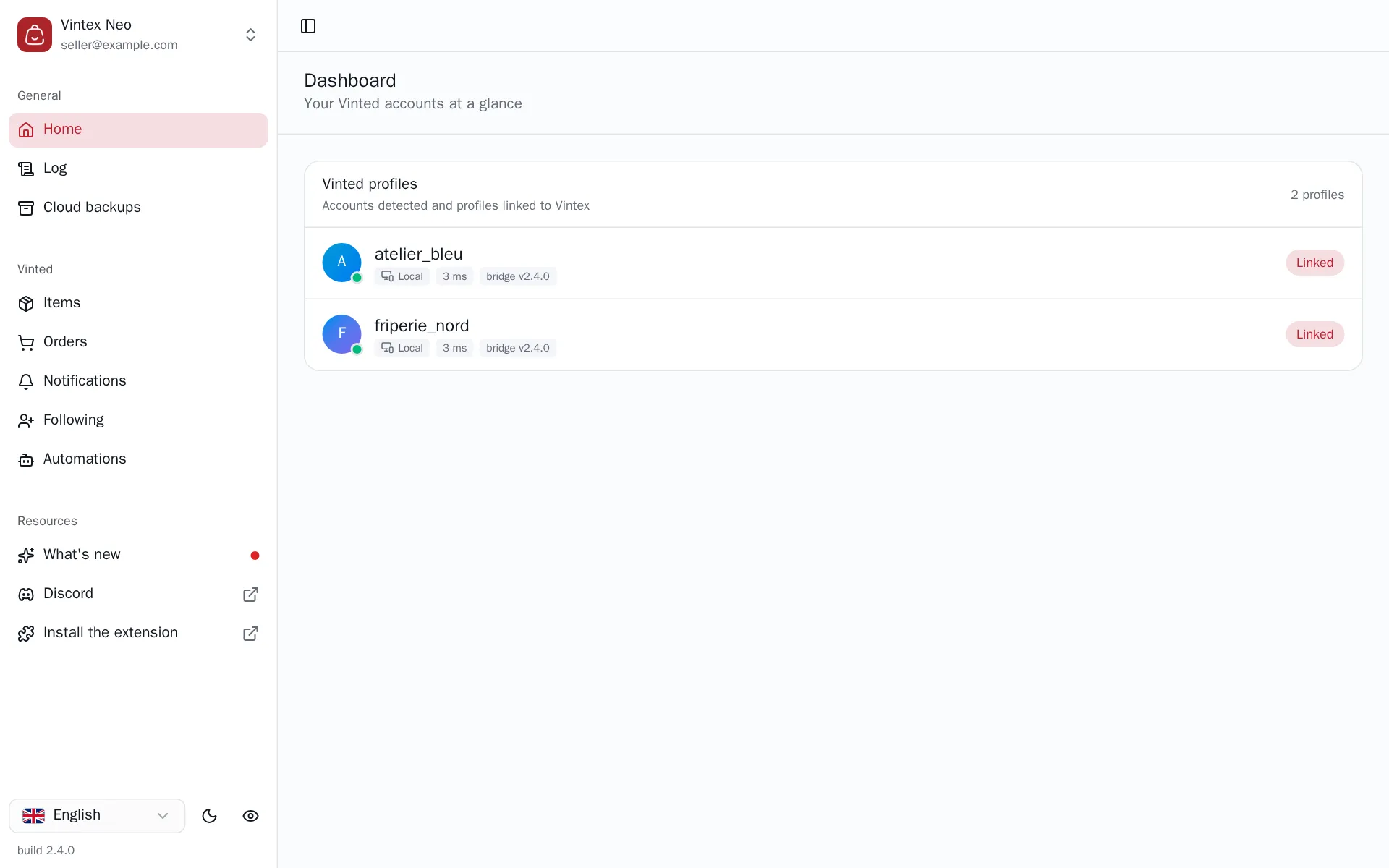
Next to each page title, a picker shows the profile in view — All or one account — and drives everything else: items, orders, notifications and follows are those of the selected profile. A platform tab closed while you work brings up "name is no longer detected".
Reading the badges
| Badge | What it says |
|---|---|
| Tab open (green dot) | A platform tab answers for this account: it can be driven |
| Tab silent (orange dot) | The tab has stopped giving signs of life — closed, asleep or offline — and "Silent for N min" says since when. Actions may not go through; if the tab does not wake up, the dot turns red within a few minutes (an unlinked profile leaves the list) |
| No tab open (red dot) | Nothing is possible on this account until you open one |
| Linked | The profile is attached to your Vintex account |
| Chrome · macOS | The device that runs this profile. Open on several machines, a profile has a single line: the first one connected runs it |
| 123 ms | Round trip between the platform tab on that device and the relay: the path your actions take. It shows up after the first measurement — allow a minute or two on a tab you just opened — and stays absent if the extension is too old to report it |
| bridge v2.4.0 | Version of the extension detecting this profile |
At the top of the list, next to the profile count, relay 123 ms gives the round trip between this page and the relay — a single measurement, the same however many machines you have.
The Settings page
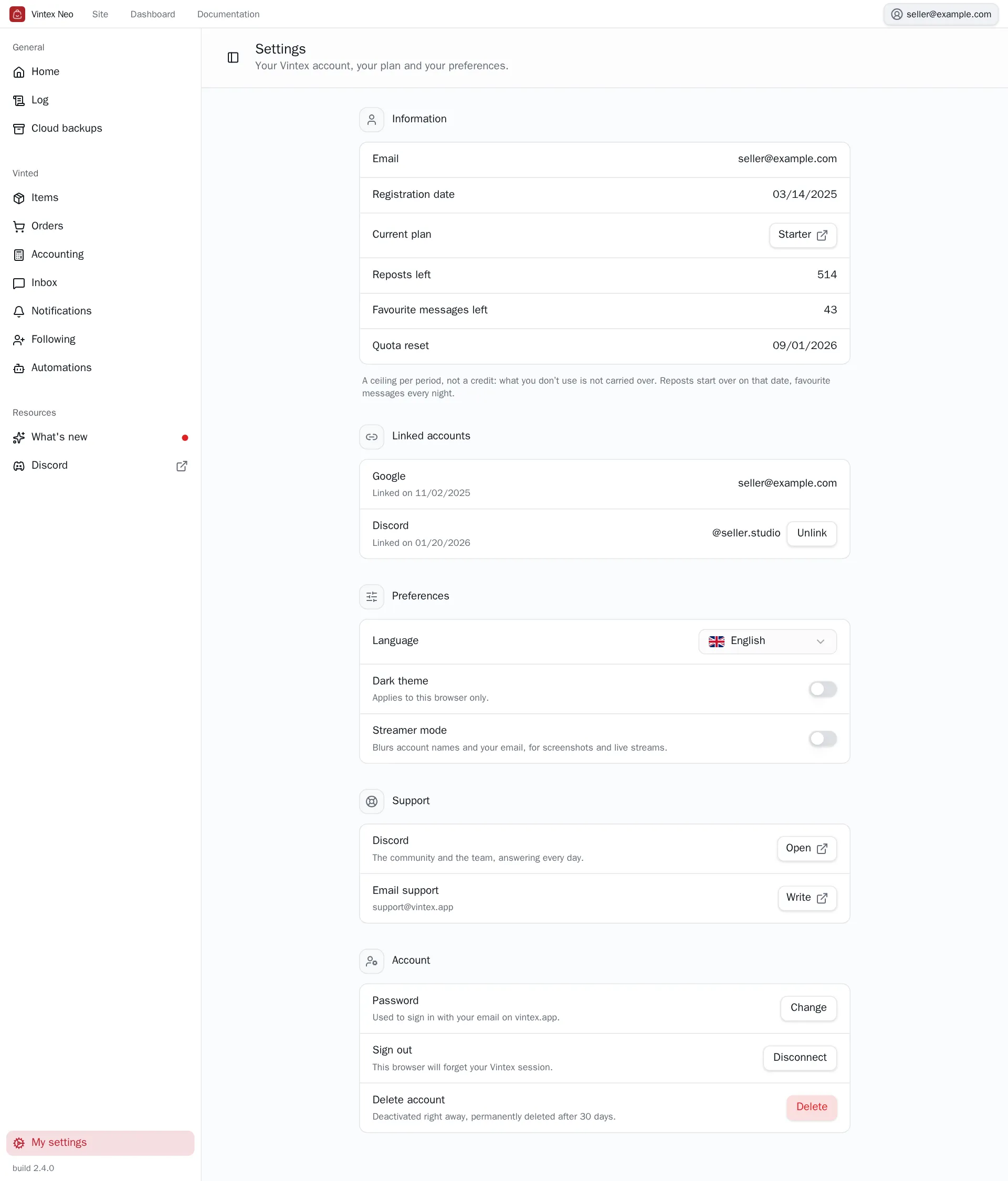
My settings, at the bottom of the sidebar — or the button carrying your email, at the top right — opens Settings: your email and registration date, your plan and what is left of your quotas, your Linked accounts (Google, Discord) and — under Preferences — Language, Dark theme and Streamer mode, which blurs account names and your email, handy before a screenshot or a live stream. The installed version stays right at the bottom of the sidebar; that's what we will ask for if something goes wrong.
It is also where your Vintex account lives: the site's former account page now leads here. Under Account, Password changes it if you sign in with your email; Linked accounts links or unlinks Discord; Delete account deactivates the account.
Delete account
The account is deactivated right away and permanently deleted after 30 days. All your Vintex sessions are closed, the extension included, and your Discord is unlinked. Until then, signing in again offers to reactivate it. Deletion is refused while a subscription is running: cancel it first in the portal.
If it doesn't work
| Symptom | Likely cause | Fix |
|---|---|---|
| "No platform account detected" | No platform tab open, or extension not connected | Follow the guide shown on the page |
| "The extension is not connected to Vintex" | Signed in on the website but not in the panel | Sign in from the panel |
| "Your platform accounts stay hidden" | Panel and dashboard on two different Vintex accounts | Sign in with the same account on both sides |
| A feature is visible but greyed out | It is temporarily switched off on the Vintex side | The reason shows on hover; try again later |
| "Part of your account could not be loaded" | The Vintex server didn't answer, or your vintex.app session has expired | Reload the page; if it persists, sign in again |
Try it on your own shop
Vintex runs in your browser, on your own seller account.