 vintex.app







The Items table
Read the displayed profile's wardrobe, filter it, and run a task on a selection.
What this tab is for
This is your wardrobe from above: everything on sale, draft, reserved, hidden or sold, on one page and for one account at a time. You come here for two reasons — to see (which item is stalling, which is backed up, which has favourites) and to act on several items at once.
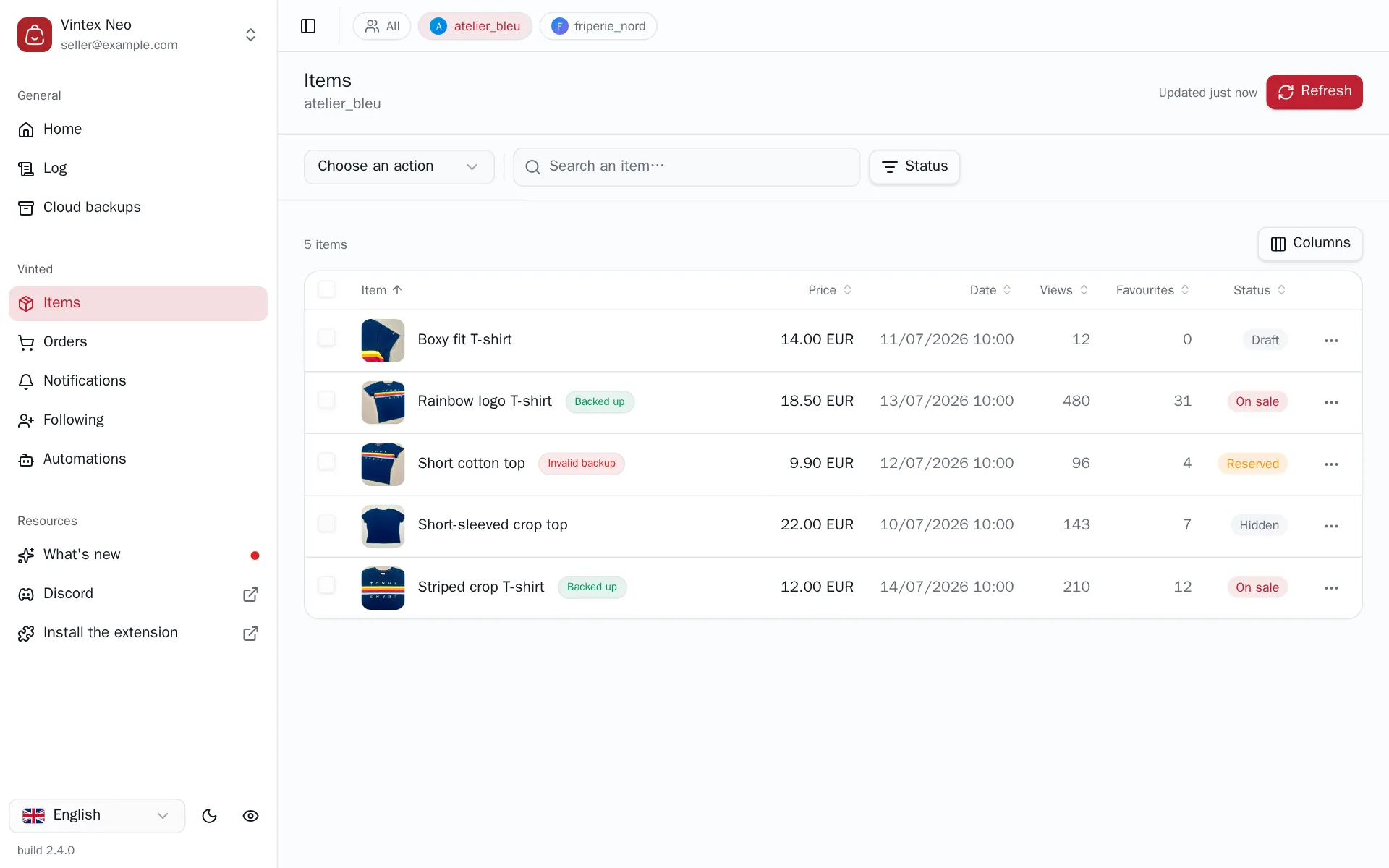
Pick the task, then the items
Every task follows the same gesture, in this order: pick the task above the table, tick the items, confirm.
Arming the task first isn't a UI detail: the table immediately reorders to bring eligible items up and greys out the rest. So you never tick a row the task will refuse.
| Task | |
|---|---|
| Relist | Deletes and recreates the listing to push it back up |
| Publish drafts | Puts existing drafts online |
| Bulk edit | Title, description or price across N items |
| Duplicate | Creates a copy, leaving the original alone |
| Back up to the cloud | Copies the listing and its photos to Vintex |
| Hide and delete | Toggles visibility, or deletes |
The list greys out ineligible rows before you confirm
If the action is possible on none of the ticked items, Vintex says so — "No item eligible for this action" — instead of running an empty task.
Reading the columns
Status (On sale, Draft, Sold, Reserved, Hidden, Processing), price, date, views, favourites. The Backed up badge means a cloud backup exists; Invalid backup, that it exists but its photos are unusable.
Filtering
A search on the title and a multi-select status filter. Sorting is done by clicking column headers; which columns show is chosen from the Columns menu.
Why the list isn't always to the second
Vintex keeps reads from the platform in memory for 5 minutes: without that, every tab switch would hammer the platform's API — exactly the kind of burst that gets an account noticed.
So you needn't fear acting on stale data: every write refreshes what it invalidated. What the cache covers is change coming from elsewhere — a buyer paying, a sale landing. The button at the top right says when the data was read ("Updated 12 min ago"); clicking it forces an immediate re-read.
If it doesn't work
| Symptom | Likely cause | Fix |
|---|---|---|
| Empty list | No platform tab open for that profile | Reopen a platform tab |
| "No item eligible for this action" | The selection holds no item in the right status | Check the status of the ticked rows |
| The list doesn't update after an action | Cached view | Click the button at the top right |
Try it on your own shop
Vintex runs in your browser, on your own seller account.