 vintex.app







Mark as shipped
Confirm an order was shipped — and what that closes for good.
When to mark an order shipped?
When the parcel has actually gone. It starts the tracking on the buyer's side and saves you a "so, has it shipped?" message. Marking too early, on the other hand, closes your label before you've printed it.
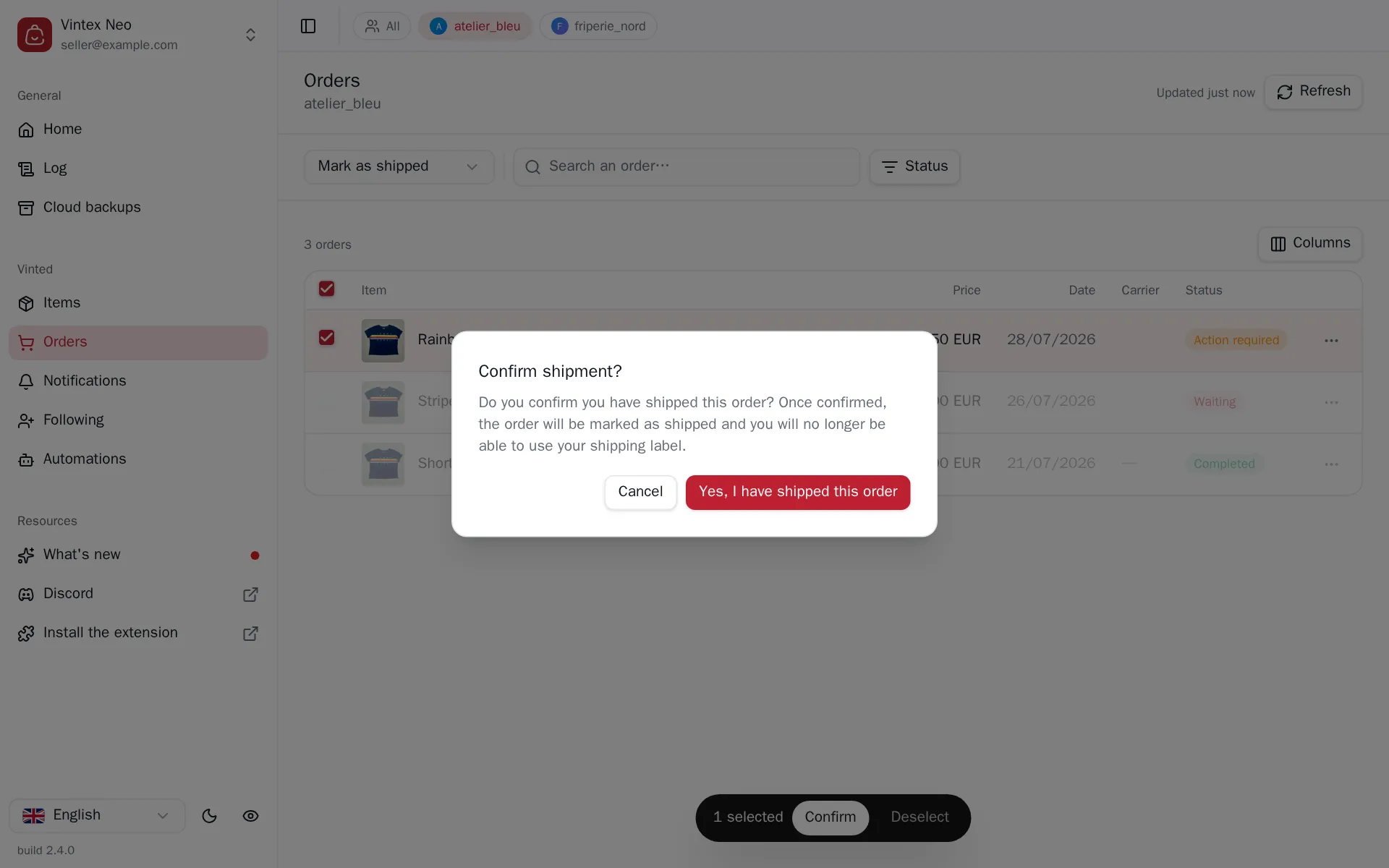
How to do it
Print the label first: after confirmation it is no longer accessible. Then the row menu for one order; or Mark as shipped above the Orders table then tick, for several. The confirmation dialog restates the consequence.
What it changes on the platform
You will no longer be able to use the label
Confirming shipment closes access to that order's shipping label, and starts the delivery countdown on the buyer's side. There is no way back from Vintex.
What happens while it runs
A short pause between each order, and the gap varies. Marking thirty orders back to back without pausing is a pattern the platform picks up; the gap is random rather than fixed, since a metronome reads just as clearly as a burst.
If it doesn't work
| Symptom | Likely cause | Fix |
|---|---|---|
| Mark as shipped missing from the menu | The platform doesn't allow it on that order | Check the order on the platform |
| The label can no longer be downloaded | The order was already marked shipped | Find it in the conversation, on the platform |
| Marking fails | The platform refused | Open the Log for the reason |
Try it on your own shop
Vintex runs in your browser, on your own seller account.