 vintex.app







Plan & quotas
What the subscription pays for, how the two counters reset, and how to change plan, cancel or find your invoices.
Why a subscription?
Vintex is a service built to save you time: what would take an evening of clicking through the platform takes a few minutes here. Behind it are real costs — development, maintenance, support and infrastructure — and the platform changes its site without notice, so keeping the tool working is continuous rather than done once. The subscription is what covers all of that.
The two counters
They are shown on the Settings page — My settings, at the bottom of the sidebar, takes you there. Each one is written as what is left, not as what you have used, and turns red once it reaches zero.
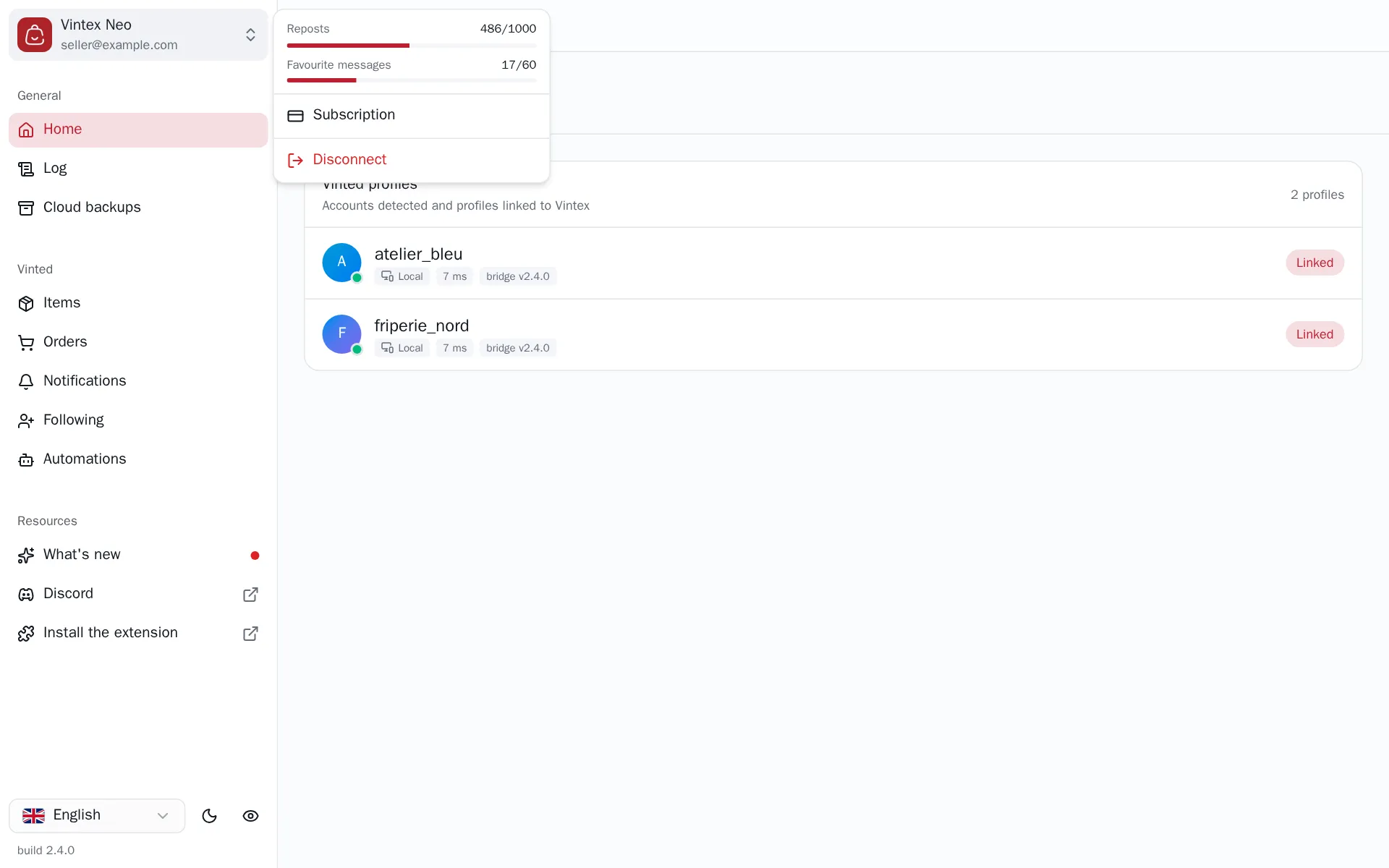
| Counter | What it counts down |
|---|---|
| Reposts left | Each item relisted from Items |
| Favourite messages left | Each message sent to buyers, by hand or by the automation |
Some features aren't a quota but an inclusion: the AI replies of Auto conversations, the per-item favourites cap of the Boost and the Accounting tab depend on the plan itself.
The two don't reset on the same rhythm. Favourite messages are a daily allowance: the counter goes back to zero every night, so a pool spent today is available again tomorrow. Reposts run on a 30-day cycle of their own, which starts with your account and restarts at your first payment — it is not your billing date, and a renewal does not refill it. Quota reset, under the two counters, is the date that cycle starts over.
A ceiling, not a credit
Each counter is a limit on what you may do during the period — not a balance you bought. Nothing carries over: reposts you don't use before the reset date are not added to the next cycle.
How to do it
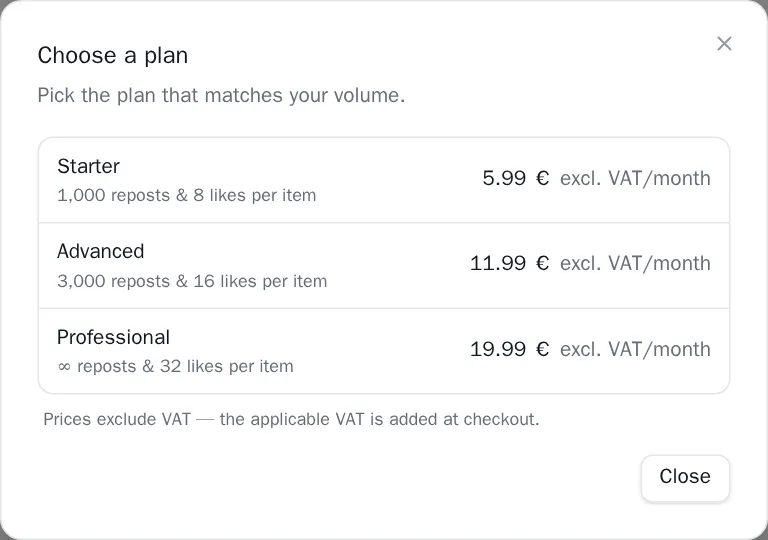
View plans, on the Current plan row, opens the list of plans; payment happens at Stripe and brings you back to the dashboard. Prices are shown excluding VAT: the applicable VAT is added at checkout, and depends on the country you enter there. Once a subscription is active, that button carries your plan's name instead and takes you straight to the subscription portal — where changing plan and cancelling happen, never on the dashboard.
Managing an active subscription
Once a subscription is live, the Settings page stops offering plans: the Current plan row becomes a single button carrying your plan's name, and it opens Stripe's subscription portal — which is where billing actually lives, and why the dashboard never asks for a card number.
The portal stays reachable after you cancel, so your invoices and your payment method don't disappear along with the subscription: the Current plan row then shows an Invoices button next to View plans, which opens it. From the site, vintex.app/r/stripe-portal opens the same portal directly — sign in first.
| What you want | In the portal |
|---|---|
| Change plan | Pick the plan to move to. Stripe prorates the difference on the spot. |
| Cancel | Cancel the subscription. Access stays until the end of the period you already paid for, then the account falls back to the free plan. |
| Invoices | Billing history: every invoice, downloadable as a PDF for your accounts. |
| Card, billing address, VAT number | Payment method and billing details. |
The portal is the only route
The dashboard deliberately offers no "upgrade" button to an existing subscriber: only Stripe can prorate a change of plan correctly. A row showing a price that did something else would be worse than no row at all.
If it doesn't work
| Symptom | Likely cause | Fix |
|---|---|---|
| "Could not load the plans" | The Vintex service didn't answer | Retry |
| Payment doesn't open | Window blocked by the browser | Allow pop-ups for this site |
| The plan didn't change after paying | Stripe's return hasn't been processed yet | Reload the page after a moment |
| A feature stays blocked after a plan change | The dashboard still holds the old plan | Reload the page |
| A feature is greyed out with "Temporarily disabled" | Not your plan: it is switched off on the Vintex side | The reason shows on hover; try again later |
| The amount charged is higher than the price shown | Prices exclude VAT | The invoice in the portal itemises the VAT applied |
| No Invoices button although you have paid before | Part of your account could not be loaded — a message says so at the top of the page | Reload the page, or go through vintex.app/r/stripe-portal |
| "Quota exhausted" during a bulk action | The counter for that action is at zero | Favourite messages come back the next night; for reposts, wait for the cycle or change plan |
Try it on your own shop
Vintex runs in your browser, on your own seller account.