 vintex.app







Hide and delete
Take a listing out of buyers' sight without losing it, or delete it for good.
Hide or delete?
You're going on holiday and don't want an order coming in: hide. The item comes back in one click, with its favourites and its age.
You're clearing out and this item will never come back: delete. But back it up first if you have the slightest doubt — afterwards there is nothing left.
Hiding
From the Items table: pick Hide from shop above the table, tick, confirm. The listing disappears from the results and from your public wardrobe, but still exists: its favourites, views and age are kept. Show in shop puts it back on sale.
The status becomes Hidden in the table.
Deleting
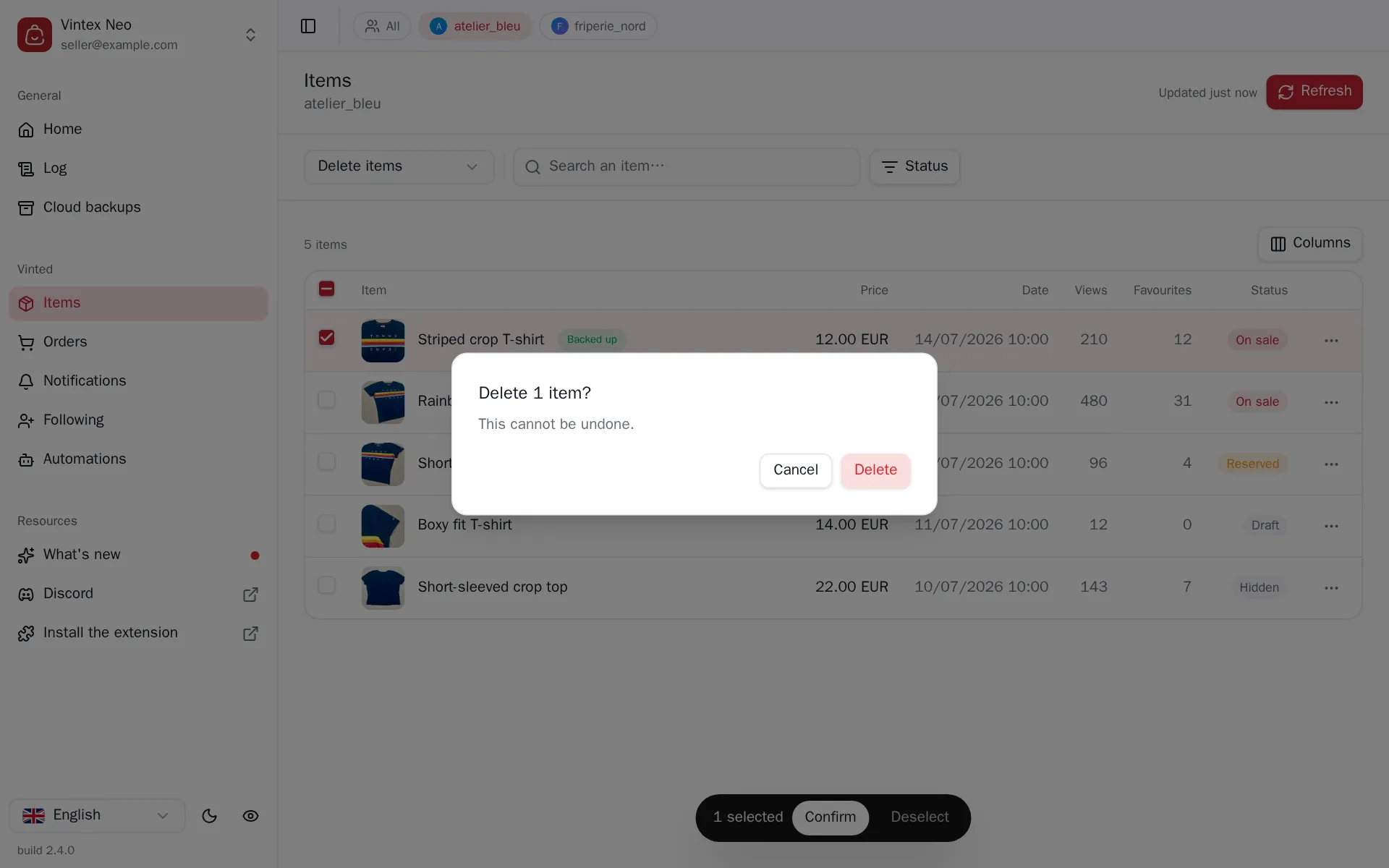
Deletion is final
The listing, its photos, its favourites and its views disappear from the platform. Vintex can restore nothing — unless you took a cloud backup, which then lets you recreate a draft. The confirmation dialog names the item; read it.
Deleting a draft follows the same path, with no other consequence.
Which one
| You want to… | The gesture |
|---|---|
| Temporarily take it off sale | Hide |
| Tidy up without losing history | Hide |
| Free up space, for good | Delete |
| Start a listing over | Relist, which does both |
What happens while it runs
A short pause between each item, varying rather than constant. On these two tasks the run is quick, and cancellable between items.
If it doesn't work
| Symptom | Likely cause | Fix |
|---|---|---|
| "No eligible item" for Hide | The ticked items are already hidden | Filter on the On sale status |
| The item reappears after a reload | The view was cached | Click the button at the top right |
| Deleting fails on a sold item | The platform doesn't allow it | Nothing Vintex can do |
Try it on your own shop
Vintex runs in your browser, on your own seller account.