 vintex.app







Export your accounts
Hand your accountant a file — your sales for the period, or a month's wallet movements.
Advanced feature
Why export
Your accountant doesn't have a Vintex account, and a screenshot isn't a ledger. The export turns what's on screen into a file they can open, sort and total — and it is the one place where multi-currency figures stay correct, because each line carries its own currency.
Two exports, two scopes
Export sales, next to the period selector, writes every sale of the selected period: date, profile, transaction, status, amount and currency.
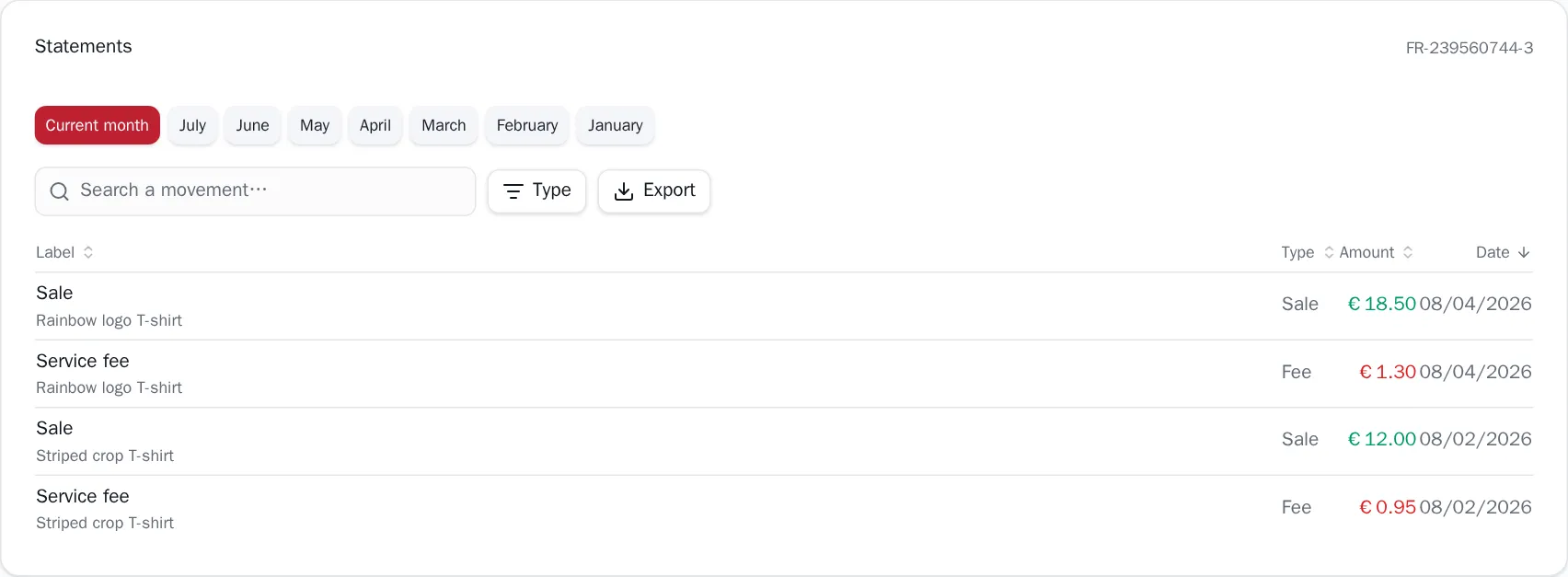
Export, inside the statements card, writes the wallet movements of the month you are looking at: date, label, details, type, amount and currency. It exports what is on screen — so a search or a Type filter narrows the file too. That is deliberate: an export that ignored the filter you just set would surprise more than it helps.
What's in the file
A CSV, and one built for the spreadsheet you'll actually open it in:
- Semicolons, not commas. Excel reads a CSV in the machine's locale, and on a French, German or Spanish machine the comma is the decimal separator — a comma-separated file opens there as a single column.
- A UTF-8 marker in front. Without it, Excel on Windows reads the file as ANSI and
your accented labels turn into
é. - Dates as
YYYY-MM-DD. They sort correctly and can't be misread:01/02is February here and January elsewhere. - Amounts as numbers, not as text with a currency symbol — so the column sums.
- Currency in its own column. This is what makes the file right when the screen can't be: across profiles in different currencies, a single total means nothing, but a file where each line names its currency sorts and totals correctly.
Fees come out negative
In the ledger export, a fee or a refund is written as a negative amount, so that selecting the column in your spreadsheet gives you the net directly.
Limits
The sales export covers the selected period and nothing else — change the period first, export after.
The ledger export covers one month at a time, the one displayed. A full year means one export per month.
If it doesn't work
| Symptom | Likely cause | Fix |
|---|---|---|
| Nothing downloads | Your browser blocked the download | Allow downloads for the dashboard, then click again |
| The button is greyed out | Nothing to export — no sale in the period, or the filter leaves no movement | Widen the period, or clear the Type filter and the search |
| Excel shows one column | The file was opened by double-click on a locale that expects commas | Use Data → From text/CSV and pick the semicolon |
| Accented characters are wrong | An old spreadsheet ignoring the UTF-8 marker | Import via Data → From text/CSV, encoding UTF-8 |
| Amounts won't sum | The column was imported as text | Re-import via Data → From text/CSV and set the column to decimal |
Try it on your own shop
Vintex runs in your browser, on your own seller account.