 vintex.app







The Backups table
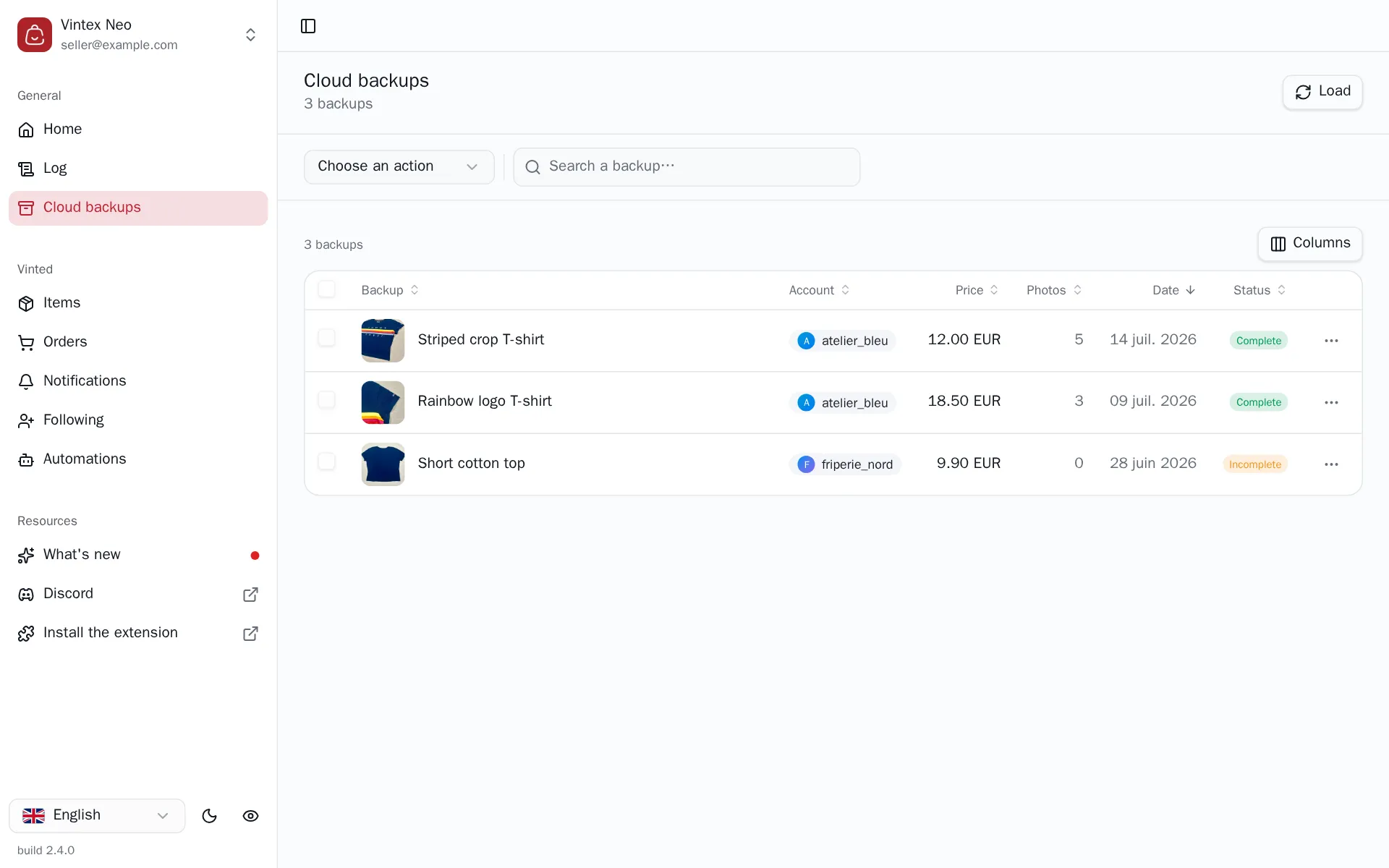
Read your cloud backups, understand their status, and start a restore or a photo edit.
What this tab is for
This is your safety net. Everything you backed up ends up here, with its photos, and can be put back online on the account of your choice — even if the original listing no longer exists.
A backup is a copy of the listing and its photos on your Vintex space. It is created from the Items table; it is managed here.
The tasks
| Task | |
|---|---|
| Restore | Recreates a draft on the chosen seller account |
| Edit photos | Reorder, remove, add |
| Delete | Erases the backup and its photos |
Reading the statuses
| Status | What it says |
|---|---|
| Complete | Listing and photos available, restore possible |
| Incomplete | Photos are missing — restoring skips it, it does not produce a partial draft |
An old backup may show an empty account: it was created before the original the platform account was recorded. It is still restorable.
If it doesn't work
| Symptom | Likely cause | Fix |
|---|---|---|
| "Connect your Vintex account" | No Vintex session on the dashboard | Sign in from the sidebar |
| Incomplete status | One or more photos weren't copied | Take a fresh backup while the listing is online |
| Empty list although you backed up | Loading not started yet | Click Load at the top of the page |
Try it on your own shop
Vintex runs in your browser, on your own seller account.