 vintex.app







Print a shipping label
Download shipping labels, crop them and merge them into a single PDF.
Why go through Vintex?
You have five orders to ship. On the platform that's five conversations, five downloads, five print jobs. Here it's one selection and a single PDF, already cropped to the size of your sticker labels.
How to do it
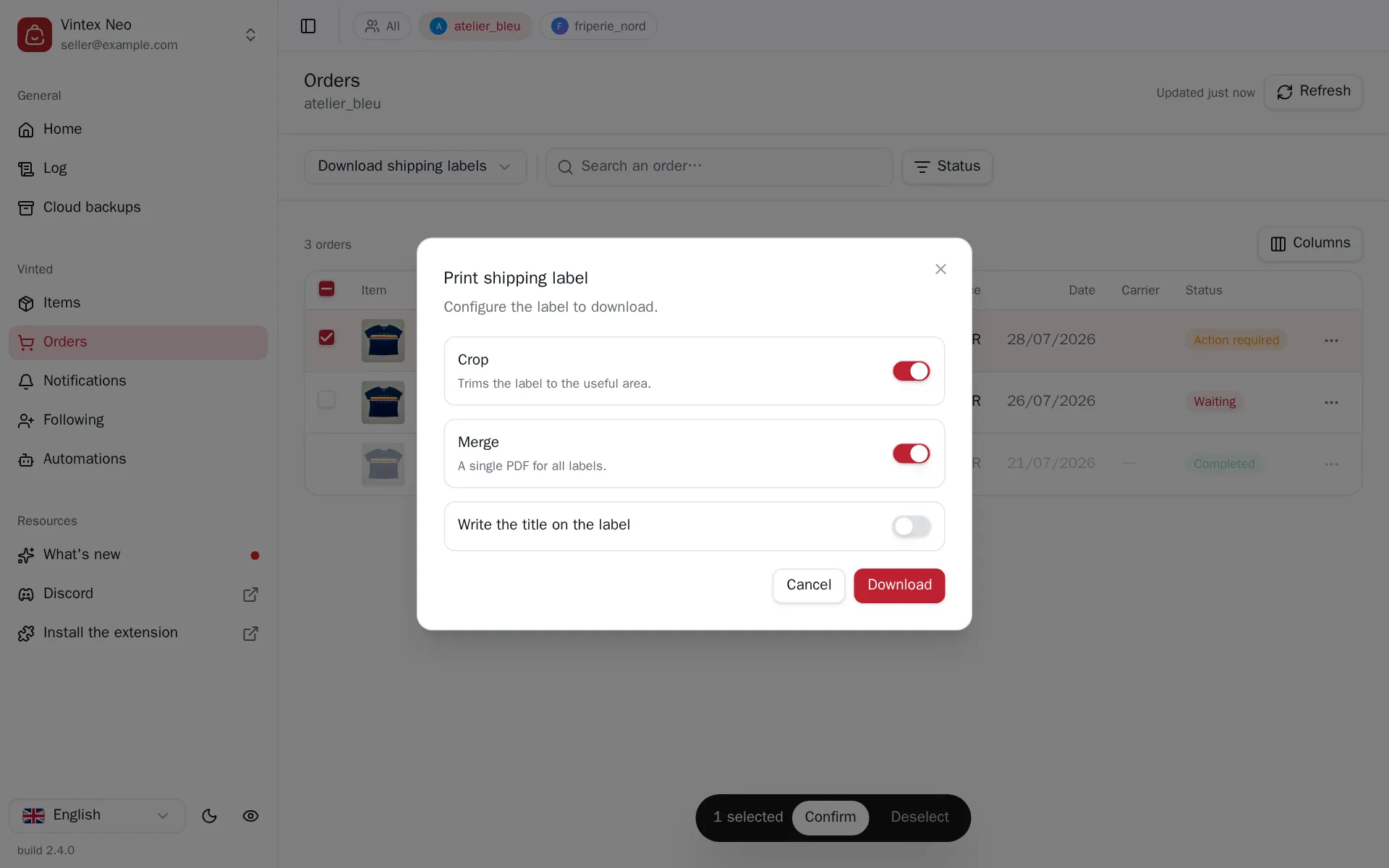
For one order, its row menu is enough. For several, pick Download shipping labels above the Orders table then tick. The dialog offers Crop (removes the margins around the label), Merge (a single PDF for all labels) and text to write onto the label. The PDF is produced in your browser, then downloaded.
What happens while it runs
Unlike other bulk tasks, labels are not spaced out: they are all ordered at once so the platform generates them in parallel, then collected. This is a read, not a write — nothing to keep discreet, and a pause would only make you wait longer.
If it doesn't work
| Symptom | Likely cause | Fix |
|---|---|---|
| Crop is greyed out | seller profile not linked | Link the profile |
| The label is unavailable | No shipment, or the platform hasn't issued the label yet | Wait for the platform to generate it |
| The download doesn't start | The browser blocks downloads from the page | Allow downloads for this site |
| "Cropping not applied" | The cropping service didn't answer | The raw PDF is still produced; retry later |
Try it on your own shop
Vintex runs in your browser, on your own seller account.