 vintex.app







Publish drafts
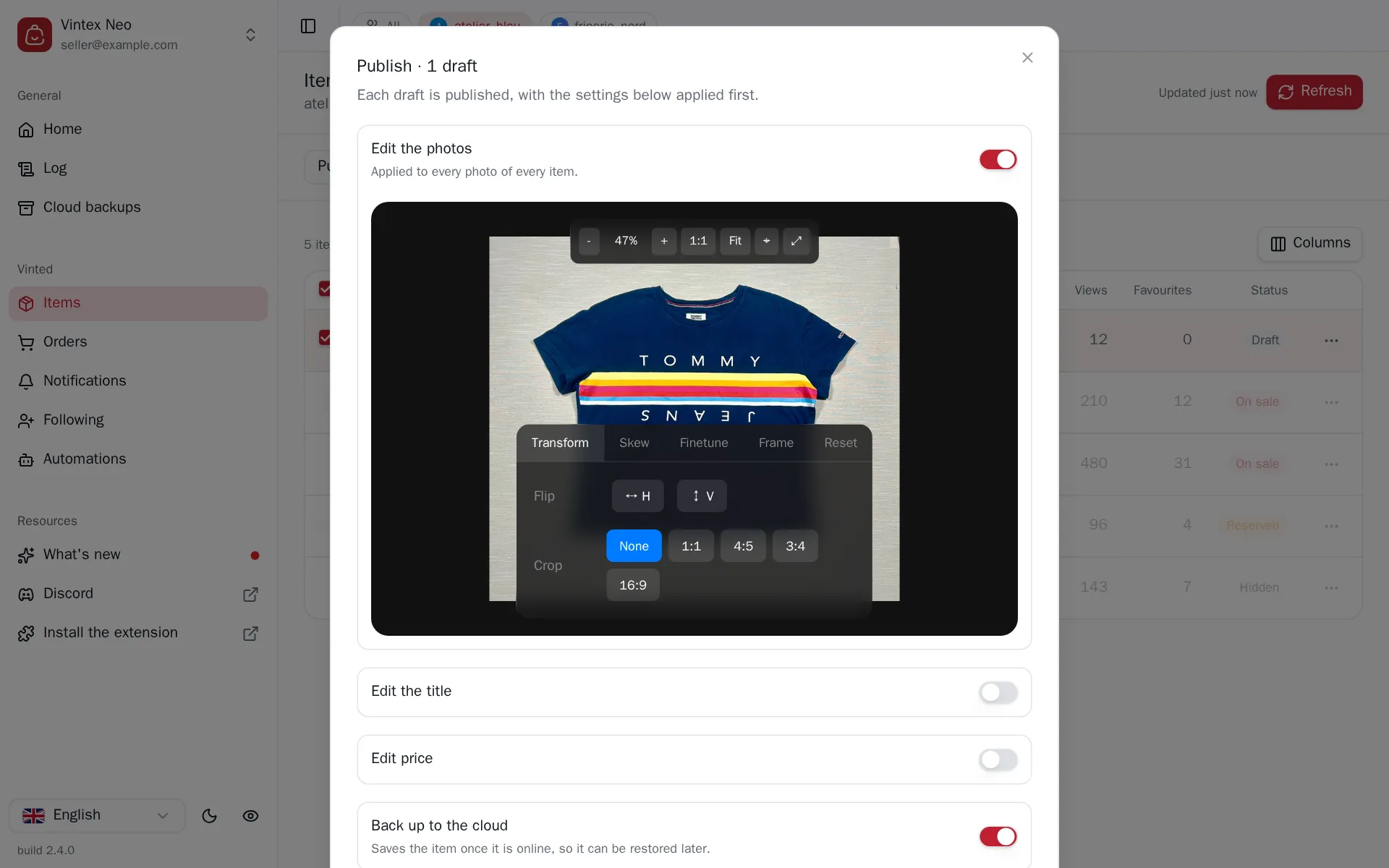
Put existing drafts online, applying the same settings as a relist along the way.
Why go through drafts?
Two cases. You prepared a batch of listings in advance and want them all online at the same moment — a Sunday evening, say. Or you relisted without auto-publish, on purpose, to proofread before anything goes out.
How to do it
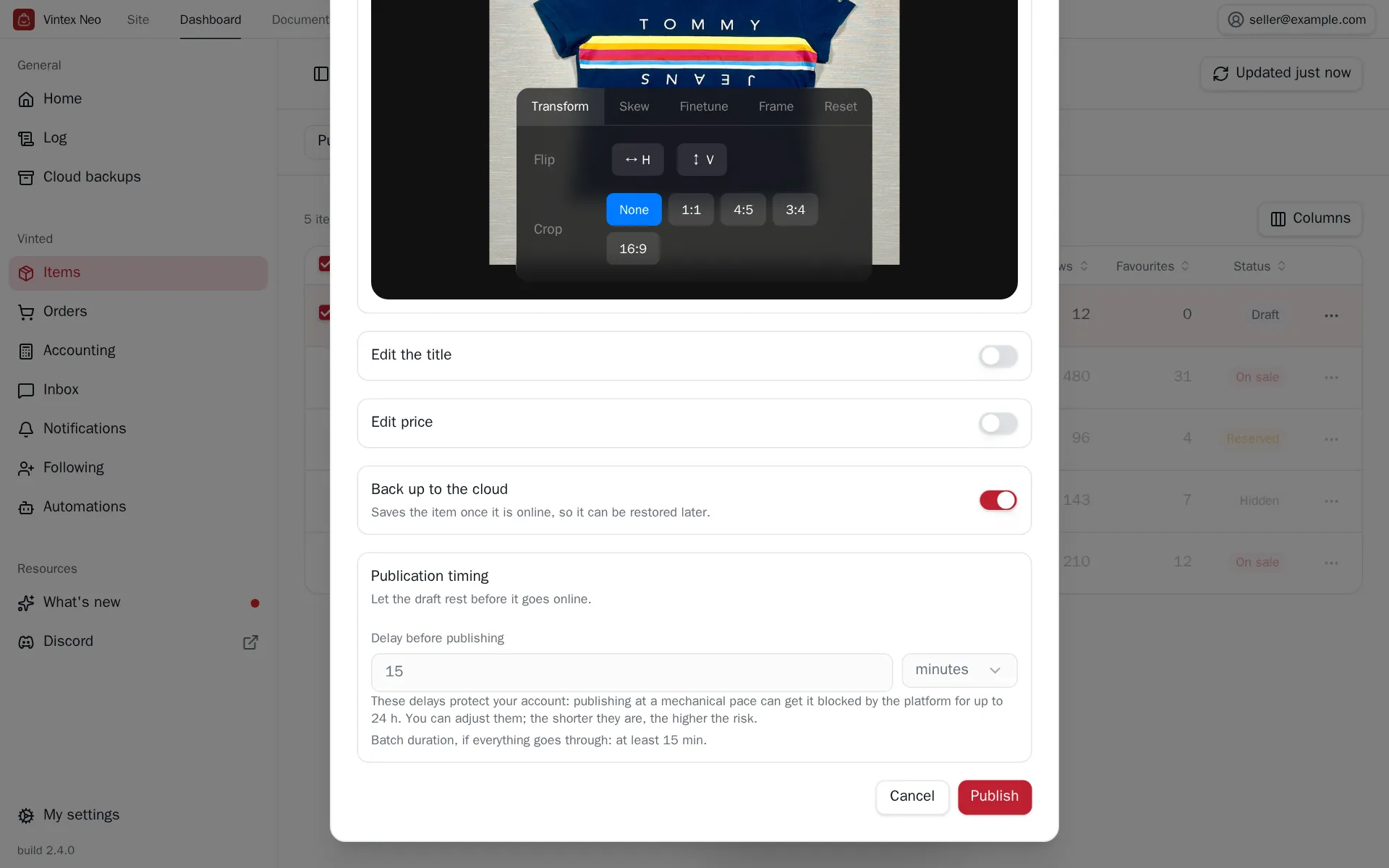
In the Items table, pick Publish drafts above the table: only drafts stay selectable. Tick, Confirm, then configure — the same options as a relist apply before going online (photos, title, price, delays).
What it changes on the platform
A publication is public immediately
The listing becomes visible and buyable. Check prices and photos before running a batch — fixing it afterwards means a bulk edit, not an undo.
What happens while it runs
The delay before publishing is paid once for the whole batch, not per item: 30 drafts with a 15-minute delay is 15 minutes. Then drafts go out one by one, spaced by the delay between each relist you set. Below the delays, the dialog estimates how long the whole batch will take, assuming everything goes through.
These delays protect your account: publishing at a mechanical pace can get it blocked by the platform for up to 24 hours. You can shorten them — the shorter they are, the higher the risk.
You can close the dialog: the run carries on, and its progress stays visible in the activity centre.
If it doesn't work
| Symptom | Likely cause | Fix |
|---|---|---|
| "No eligible item" | No draft in the selection | Filter on the Draft status |
| A draft fails with "missing photos" | The draft has no photo on the platform | Complete the draft on the platform |
| The platform asks for an SMS code | Entity verification on publishing | See Captcha & checks |
Try it on your own shop
Vintex runs in your browser, on your own seller account.