 vintex.app







Bulk edit
Change the title, description, price or size of several items at once, without relisting them.
Why bulk edit?
You're cutting all your prices by 10 % for the sales. You're adding "⚡ 24h shipping" to twenty titles. You wrote "Nike" instead of "NIKE" everywhere. One by one that's an evening; here it's one confirmation.
And unlike a relist, the listing keeps its favourites, its views and its age.
Since August 2026 there is a second reason, and this one isn't optional: the platform is rolling out a new size system, account by account, and it empties the size of listings that already exist. Until a new size is set, the platform refuses to relist those items, to publish them from a draft, and even to change their price.
How to do it
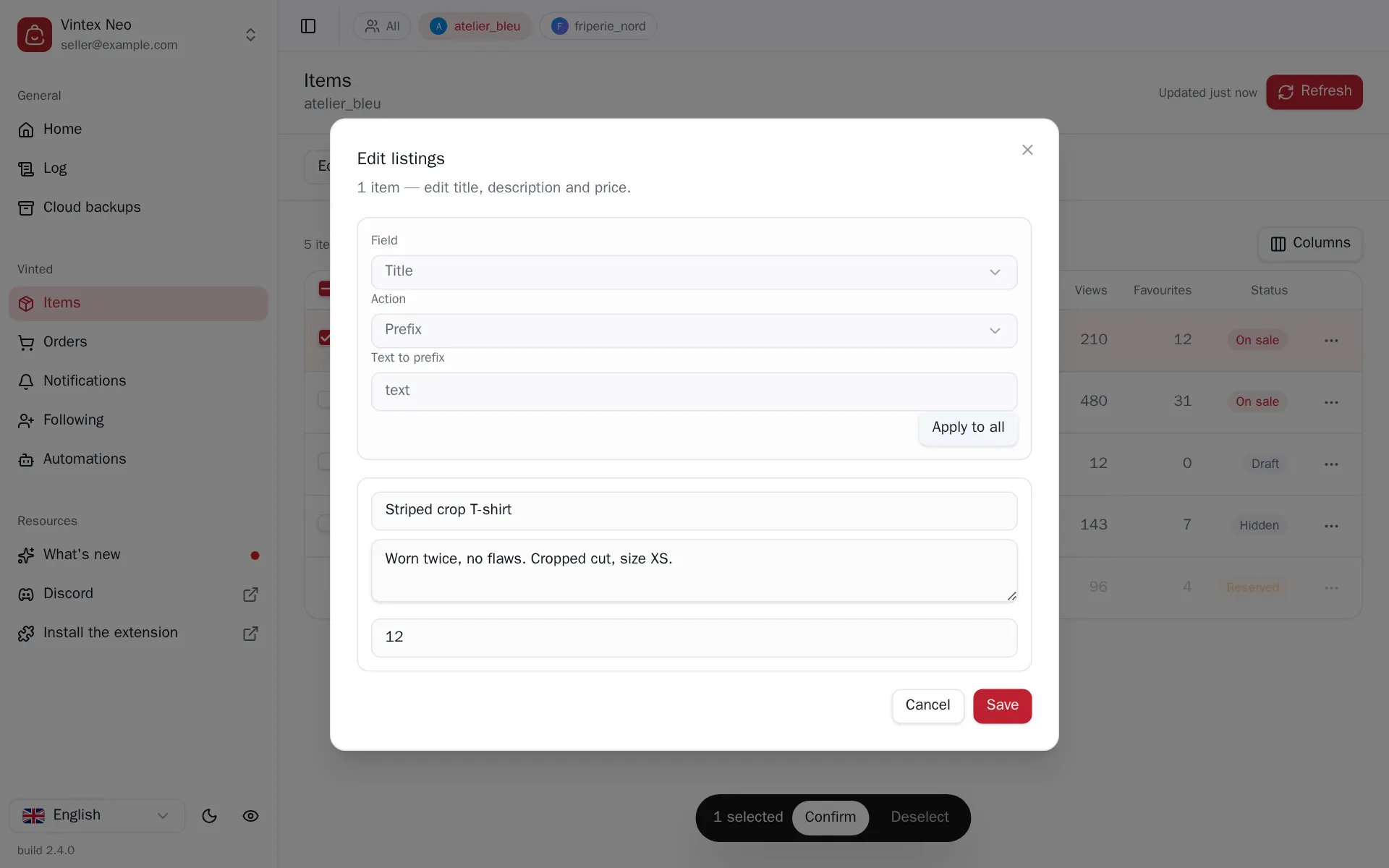
In the Items table, pick Edit items above the table, tick, Confirm. The dialog then asks for the field (title, description or price) and the transformation: prefix, suffix or replacement for text; increase, decrease or fixed price — by amount or percentage, with the rounding of your choice — for price. The preview shows the result on the selection before sending.
The size is set item by item: each item has its own size picker, filled with the sizes the platform offers today for that item's category on that account. It isn't part of Apply to all — sizes depend on the category and the account, so one size can't fit a whole selection.
When the platform has emptied your sizes
The platform migrates its size system account by account. On a migrated account, listings created before the switch lose their size: the field comes back empty. The dialog says so item by item, and two messages are worth telling apart.
- "The platform removed the size from this listing" — there's nothing left to keep. Pick one.
- "This listing's size no longer exists among the sizes the platform offers" — the listing still carries its old size, but it has disappeared from what the platform offers. Pick a new one.
A counter at the top of the list shows how many items in your selection have lost their size, and goes down as you set them.
Vintex doesn't guess the replacement, deliberately. No rule maps an old size to a new one — the old "M / 38 / 10" splits into six different sizes depending on the system (S/M/L, EU, UK, FR, IT, US) — and on listings the platform emptied there is nothing left to convert. Writing a wrong size across a whole wardrobe would be worse than asking you.
What it changes on the platform
There is no undo
Vintex does not remember the previous value. A too-broad text replacement is undone by hand, item by item — or by running the inverse transformation, if it can be expressed.
A price change does not notify the buyers who favourited the item; that takes an offer, which Messages to favourites carries.
What happens while it runs
This is by far the slowest task in the dashboard, and deliberately so: editing a listing is the write the platform watches most, so Vintex leaves a much wider gap here than elsewhere — count several tens of seconds per item. On a large batch, plan to let it run.
The gap varies from one item to the next rather than staying constant: a steady rhythm is as recognisable as a burst. You can close the dialog and keep working — the run carries on, and its progress stays visible in the activity centre.
If it doesn't work
| Symptom | Likely cause | Fix |
|---|---|---|
| The price is refused on some items | Outside the bounds the platform allows | Adjust the amount |
| An item fails as "restricted" | The platform restricted that listing | Check the listing on the platform |
| The preview shows nothing | No item matches the searched string | Check the string you're replacing |
| An item is refused for a missing size | The platform emptied that listing's size | Set the size in this same dialog, then save |
| No size picker on an item | That category has no size (book, game) | Nothing to do |
| "Sizes unavailable" in red | The list of sizes couldn't be read | Close and reopen the dialog. A failed read removes the picker; it doesn't mean the category has no sizes |
Try it on your own shop
Vintex runs in your browser, on your own seller account.